How to Check DU Balance and Remaining Data? All Methods (With Pictures)
How to Check DU Balance

Staying on top of your mobile balance and data is crucial these days. With daily usage across calls, texts, apps, and more, balances can drain faster than expected. For DU customers in the UAE, there are numerous ways to check your prepaid or postpaid balance and data usage.
This in-depth guide will cover all the methods, codes, and tips for checking your DU account balance and remaining data quickly and easily.
Methods to Check DU Prepaid Balance
If you have a pay-as-you-go DU prepaid mobile line, you’ll want to monitor your main account balance for calls/texts.
There are several convenient methods for DU prepaid customers to check their remaining balance. Checking your balance regularly ensures you don’t run out of credit unexpectedly.
There are a few ways to check it anytime:
DU Prepaid Balance Check inquiry USSD Codes
USSD codes allow DU prepaid users to seamlessly check their account balance, remaining data, and more by simply dialing from their mobile phone. These shortcodes provide a quick and easy way to monitor usage on-the-go.
USSD codes can be dialed directly from your DU mobile to instantly see your balance. The main prepaid balance check codes are:
- *135# – Check your available prepaid balance
- *555# – Check your pay-per-second mobile internet balance
- SMS “BAL” to 1355 – Get a text with your balance
- DU sends notifications if user consumed 70%, 85%, and 100% of their mobile data
These codes are fast and free to use. Just open your phone dialer and enter the codes.
Guide to Checking DU Data and Balance Online in the DU Portal
Checking your DU data balance online is a convenient way to monitor usage and avoid overages. By logging into your account portal or using the DU app, you can view up-to-date details on remaining data allowances for both prepaid and postpaid plans.
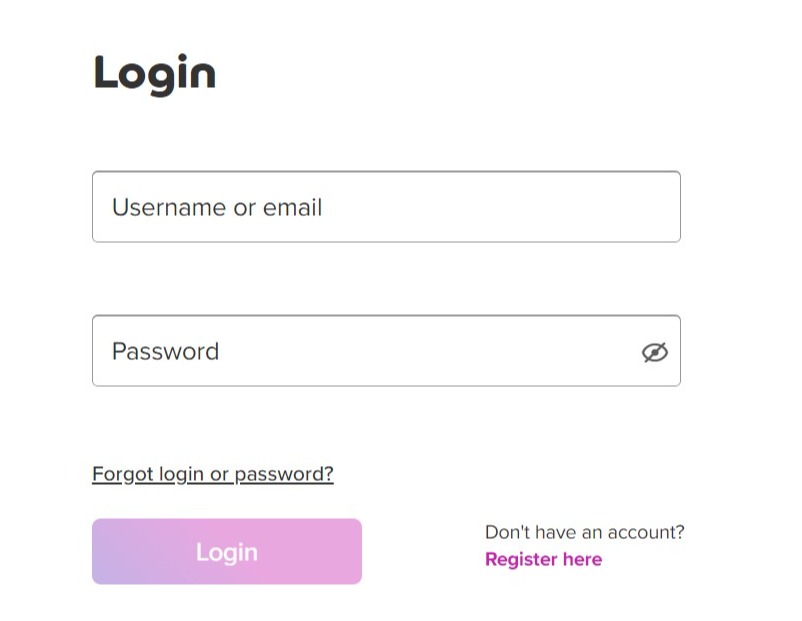
To check your Du data balance online, follow these step-by-step instructions.
- Ensure that you have a Du online account. If you don’t, sign up for one on DU’s official website. (https://myaccount.du.ae/servlet/myaccount/en/home.html?)
- Once you have an account, log in using your credentials.
- After logging in, navigate to the ‘My Account’ section.
- Here, you’ll find the option to check your data balance. Click on it, and you’ll be able to view your remaining data balance.
If you encounter any issues during this process, Du provides troubleshooting resources on their website.
It’s beneficial to check your Du data balance regularly to stay updated on your usage and avoid any unexpected charges.
DU Mobile App
The DU mobile app offers a quick, easy way to manage your DU account. Key features include checking your balance, recharging your or a friend’s line, purchasing data add-ons, changing plans, accessing special offers, and chat support. The app provides real-time usage monitoring and alerts to avoid unexpected account depletion. With user-friendly access on your smartphone, the DU app gives you control and convenience to handle account services on-the-go.
The DU mobile app offers prepaid and postpaid customers a simple, user-friendly option to check balances, recharge accounts, purchase add-ons, and manage services. Key features like data usage widgets and recharge reminders provide an optimal mobile experience.
The My DU Android and iOS app lets you check your prepaid balance and much more. Simply log in to the app and your main balance will be shown. You can also set alerts for when your balance falls below a set amount.
DU Customer Service (155)
DU provides customer service through several channels like phone, email, social media, online chat, and in-store visits. Their call center number is 800 188 and is available 24/7 for any account inquiries or technical support. Customers can also manage services, check usage, pay bills, and more through the DU mobile app and website. With various options for assistance, DU aims to deliver excellent customer experiences.
DU customers can receive personalized assistance with balance inquiries, troubleshooting, recharges and more through DU’s customer service channels like call center, email, and social media support.
Calling 155 from your DU mobile will connect you to customer support. You can then choose options for an automated balance inquiry. Or speak to an agent who can provide details.
DU USSD Balance Check Codes List
DU provides a range of USSD codes that allow prepaid and postpaid customers to check their account balances quickly through the phone dialer. These shortcodes eliminate the need to use separate apps or remember multiple numbers.
Here is a quick reference list of the main USSD codes for checking your DU prepaid and postpaid account balances:
Prepaid
- *135# – Main account balance
- *555# – Pay per second data balance
- SMS “BAL” to 1355
Postpaid
- 1351# – Outstanding amount
- 1352# – Credit limit
- 1353# – Monthly charges
- 1354# – Last payment details
Other Useful Codes
- 13500# – Flexi minutes balance
- 13511# – Bonus credit balance
- 1356# – Roaming data balance
- 1355# – Home data balance
Ways to Check DU Postpaid Balance
DU postpaid users have various ways to check their outstanding balance and data usage, including SMS commands, logging into their online account, using the DU app, or contacting customer service. Monitoring usage helps avoid bill shocks.
For DU postpaid/monthly plans, you’ll want to check both your available credit and data balance. Here are top options:
DU Online Account
Login to your online account portal at du.ae/myaccount. Under the My Services tab, you can view your current credit limit, outstanding amount, and data usage.
Rewards SMS
Text “REWARDS” to 1233 from your DU number. You’ll receive an SMS detailing your monthly bill, outstanding amount, credit limit, and data usage.
DU Mobile App
The MyDU app provides the same postpaid balance and data usage info as the prepaid app. Log in and check anytime.
DU Customer Service
As with prepaid, call 155 from your DU phone and inquire about your postpaid balance and data through the automated system or by speaking with an agent.
How to Check DU Number, Usage & Bills Online
DU customers can look up their mobile numbers, check usage breakdowns, and view paperless bills online through the My Account portal and DU app. These self-service options offer convenience and instant access to account details.
In addition to balances, there are online options to look up your DU mobile number, check usage details, and view bills.
Check DU Number
If you need to confirm your DU mobile number, use these methods:
- Dial *135# and it will show your number
- Look on your DU SIM card
- Check your phone settings
- Call 155 and choose the option to hear your number
- Login to My Account portal
Check Usage Details
To get a breakdown of your monthly usage:
- Login to My Account and go to My Usage
- Check usage widgets in DU app
- Text “USAGE” to 1233 for SMS details
This shows calls, SMS, data volumes, roaming, etc.
View DU Bills Online
All your paperless bills can be viewed online through:
- Log in to My Account portal – Bills section
- MyDU app – Bills/Payments
- Email bills are automatically sent monthly
Save or download bills here anytime for records.
How to Check DU Home Internet Usage & Bills
For DU home services like TV, internet, and landline, customers can check data usage, minutes, and channel details and access monthly bills through the DU app, My Account portal, or by SMS. This allows easy monitoring.
DU provides home internet, TV, and landline services in certain areas. You can check home service usage and bills through:
- Log in to My Account portal – Home tab
- MyDU app – Home section
- Text “HOME” to 1233 for usage SMS
- Email bills are sent monthly
This allows you to monitor WiFi data usage, TV channels, landline minutes, and more.
Methods to Check Etisalat Balance & Data
Etisalat customers have various options to check prepaid and postpaid balances, data usage, outstanding amounts, and more either through USSD codes, the Etisalat app, customer service, or the online self-service portal for convenient account management.
Etisalat is the other major telecom provider in the UAE. To check your Etisalat prepaid or postpaid balance, you can use:
Etisalat USSD codes:
- *101# – Main prepaid balance
- 140250# – Pay per use data balance
- 140251# – Monthly data balance
Etisalat app
Download the Etisalat app and log in to view balances.
Etisalat online portal
Visit www.etisalat.ae/en/consumer/plans/mobile/prepaid/wasel/index.jsp to log in and check balances.
Customer service
Call 101 from an Etisalat phone or 600 54 0000 from any phone.
So in summary, keeping tabs on your mobile usage, balances, and bills is easy with DU’s various online tools, apps, and USSD codes. Follow the options outlined here to avoid any account surprises or disruptions. Let me know if you have any other questions.
Tips for Checking Your Balance
Best practices for checking your DU account balance include monitoring usage regularly, setting data alerts, promptly recharging when balances are low, using self-service options, and contacting customer support if you need assistance – this helps avoid disruptions.
-
Set data usage alerts in your DU account once you reach 75%, 85%, and 100% of your monthly data allowance.
-
Watch for SMS alerts from DU when you’ve used 50%, 85%, and 100% of your flexi minutes or data.
-
Check your balance at least weekly to avoid getting low without realizing it.
-
Recharge your prepaid account or pay your postpaid bill promptly when balances run low to avoid service interruptions.
-
Consider adding an extra data booster pack if needed near the month’s end.
Monitoring your DU account balances regularly using the available options ensures you don’t experience any unexpected service disruptions.
Frequently Asked Questions About Checking DU Balances
Q: What are the ways to check my DU prepaid balance?
A: The main ways to check a DU prepaid balance are by dialing the USSD code *135#, using the MyDU app, sending an SMS with “BAL” to 1355, or calling DU customer service at 155.
Q: How can I check my DU postpaid outstanding amount?
A: To check your outstanding postpaid amount, dial 1351# from your DU mobile or view it in the MyDU app or online account portal.
Q: What is the code to check the DU data balance?
A: USSD codes to check DU data balances are – 1355# for home data, 1356# for roaming data, and *555# for pay per second internet balance.
Q: Can I check my DU balance online?
A: Yes, you can log in to your online DU account at du.ae/myaccount to view prepaid and postpaid balances, data usage, bills, and other details.
Q: How do I check my DU balance without a code?
A: Install the MyDU app, which shows your balance without needing a code. Or call 155 and check with customer service without using codes.
Q: What is the DU code to check flexi minutes?
A: To check your DU flexi minutes balance, dial 13500# from your mobile. This will send an on-screen SMS with your up-to-date flexi minutes used and remaining.
Q: How can I check my DU number?
A: To check your DU mobile number, dial *135# or log in to My Account. You can also find it on your SIM or phone settings.
Q: Can I check DU’s home internet usage online?
A: Yes, you can check DU home internet data usage through the MyDU app or My Account portal by going to the Home tab and viewing usage.
Q: What is the Etisalat code to check data balance?
A: Etisalat prepaid customers can check data balances by dialing 140250# for pay per use data and 140251# for monthly bundle data.
Q: Where can I view and download my DU bills?
A: DU bills can be viewed and downloaded in the Bills section of the My Account portal or the Bills/Payments section of the MyDU app.
Can Clenbuterol Affect your DU Balance and Data Usage?
Clenbuterol use and safety is a concern for many, but its impact on DU balance and data usage is not well-documented. It’s important to prioritize health over performance-enhancing drugs and monitor any changes in behavior or physical well-being while using clenbuterol.
Is Checking DU Balance and Remaining Data Important for Safety While Diving?
Checking DU balance and remaining data is crucial for safety while diving. Ignorance of these factors could lead to split face diving accident reasons. By staying on top of your DU balance and remaining data, you can help prevent potential dangers and ensure a safe diving experience.
Key Facts
For DU Prepaid
- Dial *135# from your DU number
- Send “BAL” to 1355 via SMS
- Log into your account on du.ae/myaccount
For DU Postpaid
- Send “REWARDS” to 1233 via SMS
- Log into your account on du.ae/myaccount
- Use the MyDU app
Checking Data Usage
- DU sends SMS alerts at 75%, 85%, and 100% of data usage
- Check usage widgets in the MyDU app
- Log into du.ae/myaccount and view data usage
- Visit mydata.du.ae to see data usage
Recharging DU Balance
- Use DU Quick Pay online recharge
- Recharge cards and e-vouchers
- Transfer balance from another DU number
- Pay bills through the DU app and online portal
Key Things to Know
- USSD codes are free to use for balance checks
- Set data usage alerts to avoid overages
- Regularly check balance to track spending
- Promptly recharge when the balance runs low
- Contact DU customer service if you need assistance
I hope this guide has helped explain the many options DU customers have to monitor their account balances and data usage. The MyDU app provides the simplest way to get an overview, while USSD codes are great for quick on-the-go balance checks. And be sure to use the available alerts to avoid any surprises. Let me know if you have any other questions as you manage your DU mobile account.