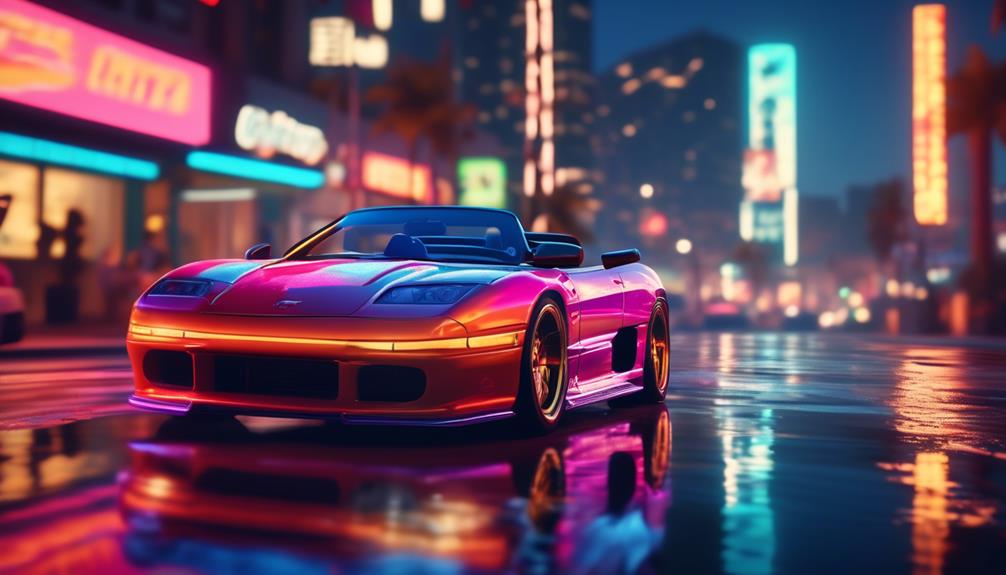

Has the quest for ultimate realism in the virtual streets of Los Santos led you to the acclaimed GTA V Drive V mod? You're not alone in your pursuit.
As you navigate the city's sprawling expanse, the promise of overhauled vehicle dynamics beckons—a siren call for enthusiasts craving authentic handling and performance. With Drive V, each car you commandeer reacts with a lifelike heft and responsiveness that can transform a simple drive into an exhilarating journey.
Yet, beneath the allure of its cutting-edge graphics and expansive customization lies a labyrinth of settings and optimizations that could either elevate your gameplay to new heights or leave you stalled at the roadside.
Uncover the secrets of fine-tuning your experience without hitting the brakes on excitement, and immerse yourself in the nuances that Drive V offers to discerning gamers like you.
Unveiling Drive V Features
Drive V elevates your driving experience with its unique vehicle handling, ensuring every car, truck, and bike feels distinct and realistic under your control. This isn't just another game tweak; it's a transformation. With precise attention to dynamic attributes, your engagement with GTA V mods becomes more than just a pastime—it's a journey into the artistry of virtual driving.
You'll notice how each handling line has been meticulously crafted, offering you the nuanced performance upgrades that make all the difference. Whether it's the tight cornering of a sports car or the rugged offroad grip of a 4×4, Drive V ensures that body roll and throttle response are more than just buzzwords—they're palpable elements of your in-game reality.
Handling mods in Drive V go beyond the usual enhancements. They immerse you in an environment where every twist and turn is a test of your driving prowess. The mods are regularly updated, keeping pace with the latest DLC, so your experience never stagnates. It's an ever-evolving world where your mastery of the road is continually challenged and rewarded.
Experiencing Los Santos Afresh
Dive into the heart of Los Santos and you'll discover a city reborn, brimming with renewed possibilities and adventures. With the latest mods in GTA V, your driving experience is transformed, offering a realism that redefines the game's handling dynamics. You're not just playing; you're immersing yourself in an ever-evolving world where the cars respond to your touch with lifelike precision.
Imagine cruising down Vinewood Boulevard with these upgraded features:
- Enhanced Handling: Feel every turn and brake with improved car physics that make every maneuver more responsive.
- Realistic Driving: Experience the thrill of realistic acceleration and gear shifting that bring the streets of Los Santos to life.
- Diverse Car Selection: Choose from a vast array of meticulously modded cars, each with its unique handling characteristics.
- Dynamic Weather Effects: Notice how your driving adjusts to the changing weather patterns, adding a layer of challenge and excitement.
As you navigate the bustling streets and scenic highways, you'll notice that the mods elevate GTA V's driving from a simple game mechanic to an exhilarating journey.
Vehicle Dynamics Overhauled
Step into your favorite ride in GTA V and you'll immediately notice the overhauled vehicle dynamics that make every journey uniquely thrilling and realistic. The developers have dialed in the InversePower settings to ensure that power levels and acceleration truly reflect those of their real-world counterparts.
Feel the roar of a rally car as it conquers dirt roads, its soft suspension absorbing the rugged terrain, providing a handling fixed to offer a genuine off-road experience.
You'll find that the off-road traction system has been significantly improved, catering to the unique demands of specific off-road tracks and vehicles. As you navigate through challenging terrains, the Z-axis rotation of your vehicle now mimics realistic body roll, enhancing the immersion of your driving escapades.
Each car reacts with a realistic delay between your steering inputs and its response, adding a layer of authenticity to the drive. Damage deformation has also undergone a significant overhaul, especially for DLC vehicles, allowing for a more realistic representation of wear and tear.
This attention to detail in vehicle dynamics ensures that whether you're cruising through the city streets or tearing up the countryside, your driving experience is as fun as it's authentic.
Graphical Enhancements Breakdown
You'll notice a striking improvement in your game's visuals thanks to the mod's enhanced texture resolution.
Realistic lighting effects bring your virtual world to life, making night drives and dynamic weather conditions more immersive.
These graphical tweaks work in tandem to elevate your overall gaming experience.
Improved Texture Resolution
As you explore virtual worlds, improved texture resolution breathes life into every scene, providing a level of detail that makes everything from rustling leaves to weathered cityscapes appear strikingly real. In the latest GTA 5 PC updates, you'll notice how this enhancement can make GTA look better than ever before.
Here's what you'll experience:
- Sharper and crisper textures that make the game looks incredibly refined.
- More realistic environments, from the bustling streets to the serene countryside.
- Richer detail in objects and character models, adding depth to the world.
- An overall more immersive and visually appealing gaming experience.
To achieve these upgrades, you can use mods designed to specifically target and enhance the original game's texture resolution, ensuring every adventure in Grand Theft Auto V is visually stunning.
Realistic Lighting Effects
Building on the enhanced texture resolution, Realistic Lighting Effects further revolutionize your GTA V experience by introducing lifelike shadows and illumination that dramatically transform each moment in the game.
As you navigate the world of GTA, these realistic lighting effects add depth and realism to story mode and beyond. Imagine driving without these upgrades; you'd miss the subtle interplay of light and shadow that brings the environment to life.
With improved ambient occlusion and light diffusion, every corner of Los Santos shines with unprecedented detail. Dynamic weather lighting and realistic reflections ensure that whether you're racing down Vinewood Boulevard or exploring back alleys, the visuals remain stunningly authentic.
Best of all, these enhancements are safe to download, ensuring your adventure in Grand Theft Auto V remains both visually breathtaking and secure.
Customization Deep Dive
Dive headfirst into the expansive customization options for your vehicles, where every paint job, performance tweak, and body kit transforms your gaming experience. Whether you're into sports cars or muscle cars, GTA V Drive V offers an unmatched level of detail that'll make every ride uniquely yours.
Imagine cruising down Vinewood Boulevard in a car that's been tailored just for you. Here's how you can make that happen:
- Choose the Urus Mansory Coupe [Add-On] for a luxurious blend of power and style, complete with a unique handling line to make every corner a thrill.
- Give the Comet Safari a fresh coat of paint and enhanced suspension to outpace any rival on the rough backroads of Blaine County.
- Opt for the classic allure of the Jester Classic, now with more customization options to stand out in the sea of Los Santos traffic.
- Get behind the wheel of the M4CS 2018 [Add-On], where you can adjust everything from the spoilers to the exhaust, making it a true representation of your racing persona.
Each tweak not only changes aesthetics but also finely tunes the driving experience, ensuring that every trip is as exhilarating as the last.
Mod Installation Guide
Unlock the full potential of GTA V Drive V by following our straightforward Mod Installation Guide, designed to enhance your gaming experience with the latest updates, customizations, and performance tweaks.
To install GTA V's Drive V mod, start by ensuring your PC meets the hardware requirements detailed in the guide. This step is crucial to enjoy the improved graphics and physics without performance drops.
Next, download the mod, making sure the file has been scanned for viruses and is safe to use. Once you have the file, you'll need to manually replace certain game files with those from the Drive V package. Carefully follow the instructions provided, which often come in a text file within the mod's archive. This will guide you through the process of installing new color options, DLC cars, and handling enhancements.
Remember to back up your original game files before making changes. This precaution allows you to revert to the unmodded version if needed.
With these tweaks, you'll notice a significant improvement in driving mechanics, including realistic damage deformation and Franklin's special ability enhancements, ensuring a more immersive experience as you navigate the streets of Los Santos.
Driving With Realism Mods
After mastering the installation of the Drive V mod, you're now equipped to further enhance your GTA V ride with realism mods that meticulously adjust the driving dynamics to mimic real-world physics. Grand Theft Auto V is already a landmark in the world of virtual racing games, but when you start driving with realism mods, the game leaps to a whole new level of immersion.
Here's what you'll experience:
- A realistic delay between steering inputs and car reaction, challenging you to anticipate turns like a pro racer.
- Adjusted power levels and top speed, ensuring vehicles behave as they'd on an actual road.
- Refined off-road physics, so when you're barreling through the dirt, it feels gritty and genuine.
- A significant overhaul of damage deformation, adding weight to the concept of wear and tear after every bump and crash.
These mods aren't just about adding a shiny new layer to GTA V; they transform your gameplay into a simulation that rivals dedicated racing games. With the Drive V mod and these additional tweaks, you'll find yourself engrossed in the thrill of the drive, pushing your vehicle to its realistic limits, all while navigating the bustling streets of Los Santos.
Buckle up, because the road to realism in GTA V just hit top gear.
Optimizing Performance Tips
To ensure your gaming sessions remain as smooth as lightning, start by adjusting the downforce on each car to fine-tune their handling performance. This tweak is a big improvement in the latest GTA V update, allowing you to navigate those high-speed chases with precision. It's one of many optimizing performance tips that'll make a noticeable difference in enhancing your gaming experience.
Don't let background processes bog you down. Take into account tools like AVG TuneUp to clean up your system for GTA V. You'll be able to shut down unnecessary operations that could be draining your PC's resources, ensuring a faster and more responsive gameplay.
Balance is key, so experiment with the game settings. Find that sweet spot between stunning visuals and smooth FPS. You want your Grand Theft Auto escapades to look great without sacrificing performance.
For those with a penchant for the ultimate experience, consider using mods. They can transform your GTA V world, adding layers of realism or high-fidelity textures for a more immersive game.
Lastly, if you're serious about optimizing performance, an upgrade to your hardware might be in order. A faster CPU, a robust GPU, and more RAM can take your Grand Theft Auto experience to new heights, letting you enjoy the game as it was meant to be played.
How Can Enhancements in GTA V Improve My Golf Cart Experience in the Game?
Enhancements in GTA V can significantly improve your golf cart experience by addressing common golf cart problems and solutions. With upgraded graphics and physics, driving feels more realistic, making it easier to navigate courses. Additionally, new features could provide players with customizable options that enhance performance and tackle any in-game cart issues effectively.
Troubleshooting Common Issues
Navigating the bustling streets of GTA V can sometimes feel like a high-stakes dance, especially when driving difficulties threaten to disrupt your flow. When you're facing these issues, here's a quick guide for troubleshooting common problems:
- Check for Updates: Ensure your game is up-to-date. The latest GTA V patch could include a big improvement for driving mechanics.
- Scan for Viruses: Sometimes, malware can cause performance issues. Make sure your system is scanned for viruses and clean before you play.
- Adjust Settings: Tweak the game's settings for better control over your vehicle. This might mean altering sensitivity or remapping controls.
- Consult Community Forums: If you're still stuck, search for a text file or forum post where fellow gamers have shared solutions to similar issues.
Frequently Asked Questions
How Do You Increase Your Driving Skill in GTA V?
To boost your driving skill in GTA V, you'll need to spend more time behind the wheel, race often, and successfully complete driving missions. Practice makes perfect, so keep at it!
How Do I Improve My GTA V Performance?
You want to stop playing PowerPoint slideshows and start cruising Los Santos in style? Dial down those graphics settings, chuck in some more RAM, and let your GPU off the leash for smoother gameplay.
How Do You Get Your Driving Stats up in GTA 5?
You'll boost your driving stats in GTA 5 by practicing driving, escaping the cops, and completing races. The more you drive, the better your skills get, so keep at it!
How Do You Get Enhanced GTA V?
You'll turbocharge your GTA V by downloading mods like Drive V. Just follow the mod's instructions to install, and you'll be steering through Los Santos with newfound realism and excitement.
Conclusion
So, you've turbocharged your GTA V experience with Drive V, right?
Imagine this: 80% of gamers say mods like this reinvigorate their interest in older games.
You're now part of that crowd, armed with hyper-realistic driving, eye-popping graphics, and a custom ride that screams 'you.'
Keep those mods rolling, tweak for peak performance, and if you hit a snag, just circle back to our troubleshooting tips.
Now, buckle up and own the streets of Los Santos!